Burn bootloader for Arduino Duemilanove w/ Atmega328 using avrdude 5.10

This is using a new Arduino Duemilanove board with a regular Atmega328p, with no bootloader. I wanted to do the BitBang mode, since I didn't want to get or make anything else, and the ArduinoISP, I didn't have access to another Arduino. So I pieced together 3 different guides, I finally got it working.

This assumes you have a Duemilanove with Atmega328p. Running Ubuntu 9.10, though really any distro will work, though how you get the dependencies will vary. Also, you have the Arduino IDE installed to /usr/share/arduino, which if you install using the deb source method, it will be.

First, setup the Arduino as shown here. I used the first wiring guide, but either should work.

Next, setup avrdude on Ubuntu. I followed this guide, but used avrdude 5.10, instead of 5.8. The commands remain the same, except instead of downloading 5.8, you download 5.10.

Here's what I ran:

wget http://download.savannah.gnu.org/releases-noredirect/avrdude/avrdude-5.10.tar.gz
tar xfvz avrdude-5.10.tar.gz 
cd avrdude-5.10/
for i in 8 7 6 5 4 3 2 1 0; do wget -O patch-$i.diff http://savannah.nongnu.org/patch/download.php?file_id=1851$i; done
for file in patch-*.diff; do patch -p0 < $file; done
wget http://www.ftdichip.com/Drivers/D2XX/Linux/libftd2xx0.4.16.tar.gz
tar xzf libftd2xx*.tar.gz
cp libftd2xx*/static_lib/* .
cp libftd2xx*/*.h .
cp libftd2xx*/*.cfg .
./configure 
cp /usr/share/arduino/hardware/arduino/bootloaders/atmega/ATmegaBOOT_168_atmega328.hex .

Then you edit the file, Makefile:
CFLAGS = -g -O2 -> CFLAGS = -g -O2 -DHAVE_LIBUSB -DSUPPORT_FT245R
LIBS = -lreadline -lncurses -ltermcap -> LIBS = -lreadline -lncurses -ltermcap ./libftd2xx.a.0.4.16 -lrt

Then just run make.

Third, run:

sudo ./avrdude -C avrdude.conf -c duemilanove -P ft0 -p m328p -t -B 4800

And in that:

erase
w efuse 0 0x05
w hfuse 0 0xda
w lfuse 0 0xff
q

This sets up the efuse, hfuse, and ifuse values. This has to be run at a lower baud rate.

Fourth, run:

sudo ./avrdude -C avrdude.conf -c duemilanove -P ft0 -p m328p -U flash:w:ATmegaBOOT_168_atmega328.hex

The bootloader has been flashed. Lock it by running:

sudo ./avrdude -C avrdude.conf -c duemilanove -P ft0 -p m328p -t

And enter:

w lock 0 0x0f
q

Now, your Atmega328 should be ready to use. You can try it by uploading the example Blink from the IDE.

Twitter Push Notifications with Prowl without Growl

Prowl has an API. Just found that out. Even has a python module written for it, that's already been forked many times.

So I made a twitter push notification script.

IMG_0139

Runs every minute and pushes any new timeline posts to you. Really simple. Just throw it on a server or any box that's running full time.

RSS and Gmail scripts coming.

Ubuntu Notification Daemons

The new notifications system in ubuntu is actually pretty slick, but having to run multiple apps to get the notifications is annoying.

So, time to make daemons for the notification system.

First, and only currently, is the twitter pseudo-daemon. And it's wiki page.

Currently working on switching to an actual daemon and a gmail daemon, though python-libgmail is failing hard.

Any suggestions, post them.

Changed The Domain

I changed the location to ja.meswilson.com/blog/.

Most of the old links should work and redirect here. I added the redirects in lighttpd.conf.

I'll probably start posting more. Going to try to start doing some more online work, and I'll write about them or what have you.

Also, new theme.

Widget A Day: Take 2

Since I'm bored, and some of my old widgets have had some feature requests, so I think I'll try Widget A Day again. I'm going for at least 14 widgets, so 2 weeks, some being updated versions of the older ones.

It would most likely start the beginning of next week. (Edit- not happening this week, but should be next week)

If you have requests or ideas, post them here. I need them to be able to do this.

Paintball Headlines Theme

I said I would post the theme for headlines when I thought it was acceptable. There are still problems, but whatever.

Anyways, this theme is based upon this tutorial theme, but changed to have multiple author support, support tags and categories, and be a double right column instead of a column on both sides. There are a few other little changes in there.

Github Repository

I'll try to update the theme whenever I change anything; I just have to remember to do a svn ci each time.

To run by default and not get errors, you need do need a few plugins, like wp_dtree. There's also a classifieds plugin that I wrote just for headlines that's needed, but I don't plan on releasing that, since it contains db info and it's pretty much just a MySQL query. In sidebar.php, just comment out the get_classifieds_new(10); code.

Edit: Changed to Github, since DevjaVu went away.

GSoC 2008 Proposal : WordPress Upgrader

My proposal for Google Summer of Code is a WordPress Updater.

WordPress currently advertises how easy it is to install with its patented* 5 minute install. Upgrade is also supposedly really easy. Just delete all you old WordPress files, upload the new ones, and go to upgrade.php. In reality, this is more complicated than it seems. You have to make sure you delete only the WordPress files, don't overwrite your other files, all the files still have the same permissions that they did before uploading, and making sure all the back up were done correctly. This proposal plans to make it a much simpler and quicker task of upgrading with easy to use and follow pages that goes through all the aspects of upgrading.

Here's the basic concept I thought of:

  1. Backup all WordPress files.

    • This is a security risk, but it can be lowered by using some obfuscated file/folder combination, or even better, using encryption. An option could also be added to back up all files in the WordPress directory
  2. Backup the database

    • Also a security risk, but can be lowered using same scheme as the file backup. The user would then be prompted to download these files.
  3. Check for plugin/theme incompatibilty

    • I'm unsure what this will take. It could be something that will just check to see if it has a max version listed, or it could try running them in a sandbox for the new version, like what WordPress currently does when installing plugins.
  4. Download latest.(zip|tar.gz) from wordpress.org and extract it (Not overwriting any current files)

    • It could also support using nightly or beta builds, or checking out the SVN trunk
  5. Confirm update with user plus other pre-update information or options

    • It could support something like replacing the site with a 'Site Down' page or something along those lines
  6. Replace all the WordPress files with the new version's.

    • It can be optional to replace the plugins and themes included. This can also not replace files that have not changed between versions.
  7. Run update.php.

    • Most likely just using an iframe
  8. Upgrade done.
    • Delete all the downloaded files, and optionally delete all the backups.

Other possible features:

  • Revert back to the previous version
  • Automatic upgrading

The probable evolution of it would be a drop in file, followed by a plugin, then if seen as useful, added to the WordPress core. At the first deliverable (Midterm), it will be functional, as in does the upgrading, but will probably not be a plugin and be really refined. At the final deliverable, it'll be a feature-rich plugin with all features listed above.

First problem, it won't work on all configurations. WordPress doesn't either. If you're using a MySQL user without CREATE and DROP privileges, adding plugins probably won't work and neither will upgrade.php. It'll give you errors while without worrying about them, changing the WordPress version, causing you to either revert to a backup or find out all the queries run and running them as a privileged user.

Also, the plugin updater would be affected by the same file permission problems that this would be susceptible to.

This is the most popular idea of from the ideas section. Though I didn't choose this idea due to that, I just believe that the one thing WordPress really needs is a quick and painless way to upgrade.

There currently is a plugin that does this, but it seems a little large and its security practices seem a little iffy.

* Of course, it's not patented, but it makes it sound cooler.

Added Plugins To WordPress.org

I've added most of my widgets from Widget A Day. This is to enable update checking and updating in newer versions of WordPress.

For some reason, you have to have the plugin uploaded to wordpress.org to be able for WordPress to check if it's out of date. Not sure why they couldn't let people add an update url in their plugin informations that WordPress would check. The only reason I can think of, without actually trying to figure out the real reason, is that all the plugins could be checked using a single request, instead of a request for each plugin. I don't really think they should automatically just send your plugin information to themselves without asking or having a way to opt out, but whatever.

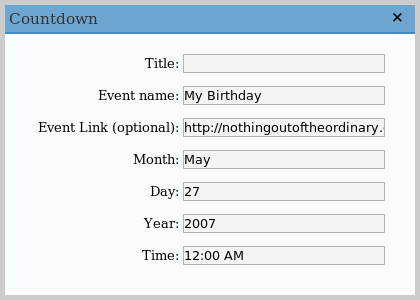
I didn't add the Digg Widget or the Countdown Widget. The Countdown widget I just thought was lame.

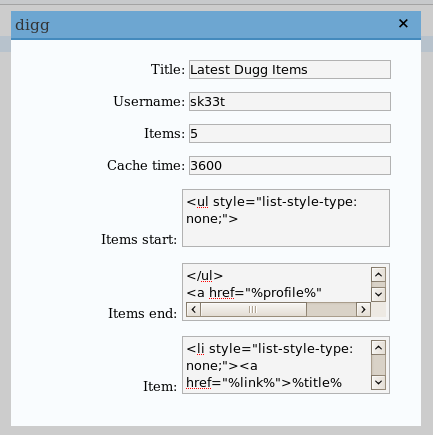
A Digg Widget already exists, but it just uses the Javascript script that digg gives out, which isn't any fun. I'll probably still end up uploading it as 'Digg Widget by sk33t' or 'Script-less Digg Script' or something along those lines.

Also, I'll post my GSoC proposals here in the next day or two

Paintball Board Software Types

I wrote a post on Paintball Headlines that had a side note about how paintball board software was done, and how I might write python scripts demonstrating both ways.

Well, I did. Here they are.

threaded.py runs the check in different threads while event.py only runs the check when an event occurs (the trigger is pulled). You can look a the source code of each to understand the differences.

These weren't made or show that one way is better than the other, they just demonstrate both methods.

Do I know how they do it? No. I'm sure they aren't running higher level language like python. If any board manufacturers want to let me know, please comment.

I'm also sure that actual board software is done much better, and not the work of some 20 year old hacking some code together in about an hour.

Yahoo Shortcuts, This Might Be Useful

Yahoo decided it needed to promote some of it services by making a WordPress plugin that allows you to add Yahoo based info to your post. It "reviews" your post as you write it to see what useful extra information it can add. Like, give a location, and you can add a Yahoo map to your post.

Like the example adds a map to the University of Texas when you mention it, since people might happen to know where Austin is but not where UT is. Here's a hint, go to Austin, and bam, there's UT.

Buit alright, you can get useful Flickr photos for your post. Let's see what it recommends for this post. O wait, it doesn't work with the WordPress version, crap. I did install it on another blog that has an updated version of WordPress.

You might be wondering why I have a really outdated version of WordPress. It's because it's hard to update WordPress. Here's how I update everything on my computer, apt-get update. For WordPress, you need to copy everything a couple of times, wget latest.tgz, change the user and pass it uses for MySQL (it usually doesn't have create or delete privileges), and then have to make sure everything works, which something of course broke during that.

Anyways, copying this over to my other blog and looking at the rcommendations, it allows me to "Search the Web" for University of Texas, Flickr photos, and WordPress, and the Flickr photos recommendations are all UT based and have nothing other than the UT related to it. Trying to load more photos though, doesn't work. It'll load maybe a couple photos then just do nothing.

Sorry Yahoo, but this just isn't that useful. It might have looked good on paper, but it just has such a limited use. The Flickr photo addition could be useful, but in this case, it definitely wasn't.